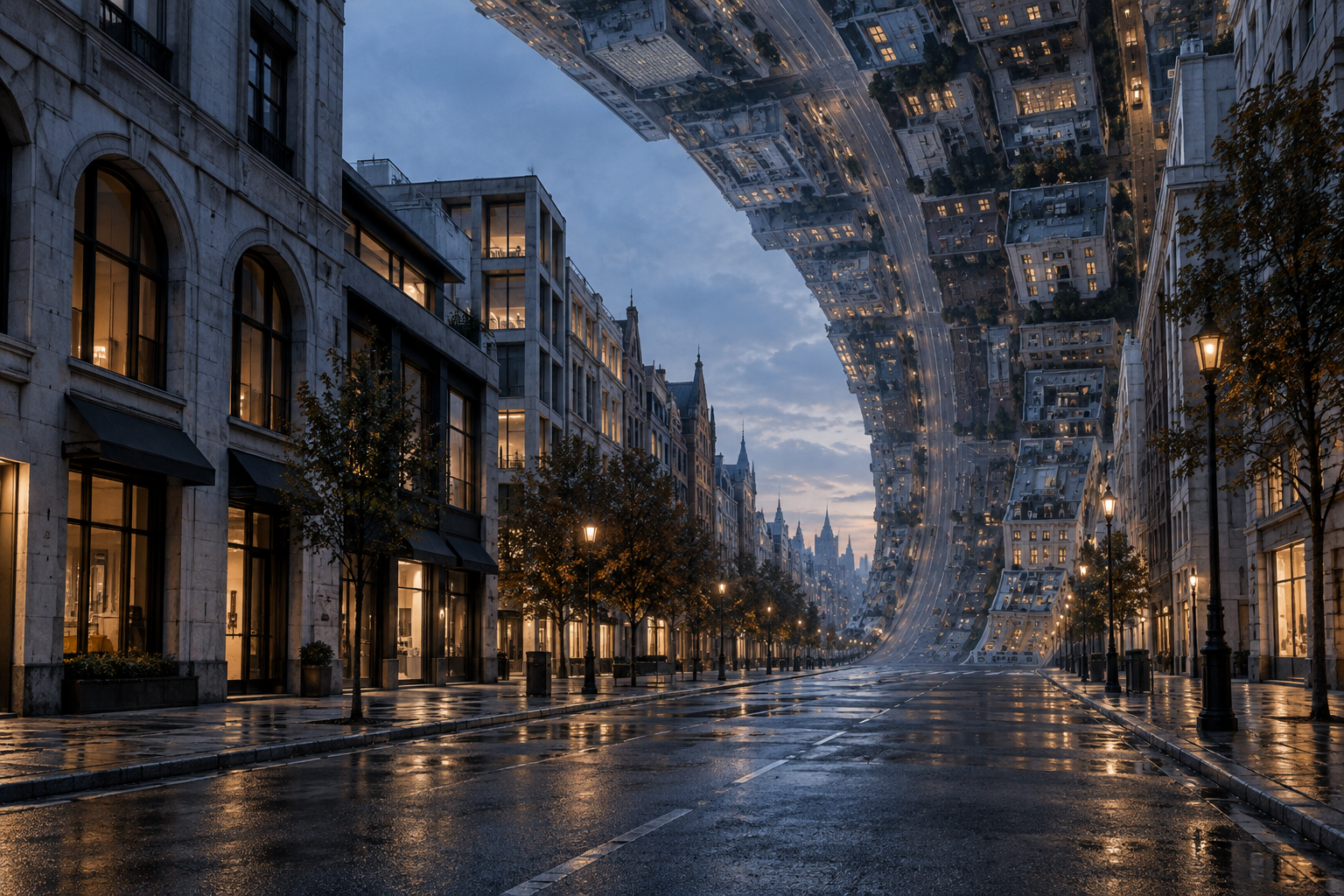
CITY FOLDING / AN IMPOSSIBLE HORIZON
City Folding. Change the horizon.
Prepare a City Folding video prompt from your street photo. Choose the scene, camera and frame, then copy or save the direction. Reference review stays local; this studio does not render a video.
- YOUR STREET
- ONE CONTINUOUS FOLD
- FREE PROMPT STUDIO
DIRECT YOUR CITY FOLD
Prompt studioChoose a reference photo and set the direction. Get a prompt to use with your chosen video tool.
Optional reference · JPG, PNG, WebP · up to 10 MB
Your photo stays in this tab. It is not uploaded or included in the saved prompt. This prepares a prompt; it does not render a video.
ORIGINAL CONCEPT STILL / VIDEO RENDERING NOT CONNECTED
01
What is City Folding AI?
City Folding is a photo-to-video visual effect in which a familiar street bends upward and overhead while the near pavement or foreground subject remains stable. The contrast creates an impossible skyline. This independent prompt studio helps you choose a reference and describe that movement. It currently exports prompts, not rendered videos.
02
Start with the street.
Choose room for the fold
Look for a visible road, clean building edges and open space above. Keep the nearest pavement and any full-body subject in view.
Direct one continuous move
Choose the lighting, camera and frame. Separate what stays stable from the distant city that bends.
Take your prompt
Copy or save the direction, then use your authorized reference in a video service you choose. This page does not submit it for you.
Review the actual result
Check the bend, the connected street, the foreground and the final framing. A pleasing still is not proof of a coherent moving shot.
03
An actual prompt-studio interaction
Checked in the browser on October 9, 2026. We selected a public concept still, chose Keep my scene / Locked camera / 9:16, built the direction and saved the text. The concept still was used to exercise the picker; it is not a newly rendered result or a camera photograph.
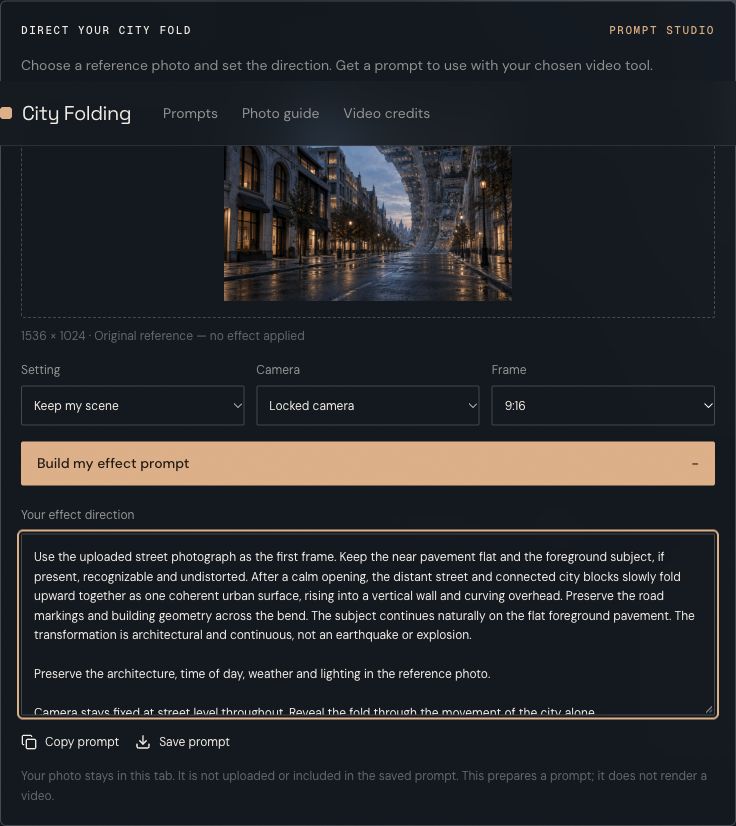
Local reference and saved prompt
The visible controls and text export are the current product. The image remains a local reference, and saving the prompt does not include the image or its filename. Open the exact downloaded prompt.
Open media fileBrowser check and asset provenance04
A fold that reads clearly.
Give the architecture space
An open street lets road markings and building edges show where the bend begins. Keep room above the subject.
Keep an anchor in the foreground
A stable person or flat strip of pavement makes the transformation easier to see. State this explicitly in the direction.
Let one camera move carry the shot
A locked view or gentle push-in keeps the visual change legible. Avoid a large camera spin competing with the city.
05
One frame. Two kinds of gravity.
The visual brief comes from the effect guide. The controls describe this prompt tool, not promised video specifications.
- REFERENCE
- Street photo with visible pavement and architectureSource: Pollo effect guide
- MOTION
- Distant urban blocks fold upward and overheadSource: Pollo effect guide
- FOREGROUND
- Near pavement and subject stay stableSource: Pollo effect guide
- HERE TODAY
- Local photo review and a downloadable text promptSource: Try the tool
- VIDEO OUTPUT
- Not connected in this releaseSource: Release scope
Last checked 2026-10-08
06
Choose the guide for your shot.
Write the transformation
City Folding prompts separate the near anchor, connected fold and camera direction. Each starter is editable and untested.
Prepare the reference
The photo and shot guide explains what street geometry to keep in view and how to review a rendered result.
Choose the viewpoint
Compare a locked camera, push-in and tracking shot before adding competing motion directions.
Find where the shot breaks
Use City Folding troubleshooting to inspect melting towers, disconnected roads and a rotating near horizon.
Choose a rendering route
A dedicated template and a prompt planner provide different outputs. See what requires a separate generation test.
Distinguish folding from expansion
City Folding vs video outpainting explains why bending a skyline and adding canvas space are separate tasks.
07
Before the skyline moves.
What is the City Folding effect?
A street begins normally, then distant roads and buildings bend upward and over the scene. Keeping a person or the near pavement stable makes the impossible architecture readable. This site helps prepare a directed prompt for that visual effect.
Does this site generate a video today?
No. This release lets you select a local reference, choose scene and camera directions, then copy or save a prompt. Video rendering is not connected. The hero image is original concept artwork, not a video result.
Which photo should I use?
Use a wide street scene with visible pavement, building edges and space above the skyline. If a person is present, keep their whole body in frame. A tight face-only selfie gives the fold little architecture to work with.
Is my photo uploaded?
No. It is decoded in the current browser tab for reference review. Copying or saving the prompt does not include your photo or its filename. Removing the photo or reloading clears it.
Will the prompt guarantee the same effect?
No. A prompt expresses a target; each video model may interpret the geometry differently. Check that the foreground stays stable, streets remain connected and buildings fold rather than melt. Review actual output before sharing.
Is City Folding a separate AI model?
It is an effect name, rather than a model offered by this site. Pollo has a dedicated effect page; general image-to-video models are a separate route that needs testing for this shot.
Give the city a different horizon.
Prepare the photo and direct the bend.
08
Inspect the references and the local check
Use the visual reference gallery to compare street geometry and inspect the actual saved prompt. It separates original illustrations, browser evidence and rendering directions.